I spend most of my working day in a terminal/editor, and increasingly with a coding agent running next to me. The exception is Azure, where my primary interface is usually the portal. Looking up a resource or checking one of its properties usually means leaving the terminal, opening the portal and clicking around until I find the right blade.
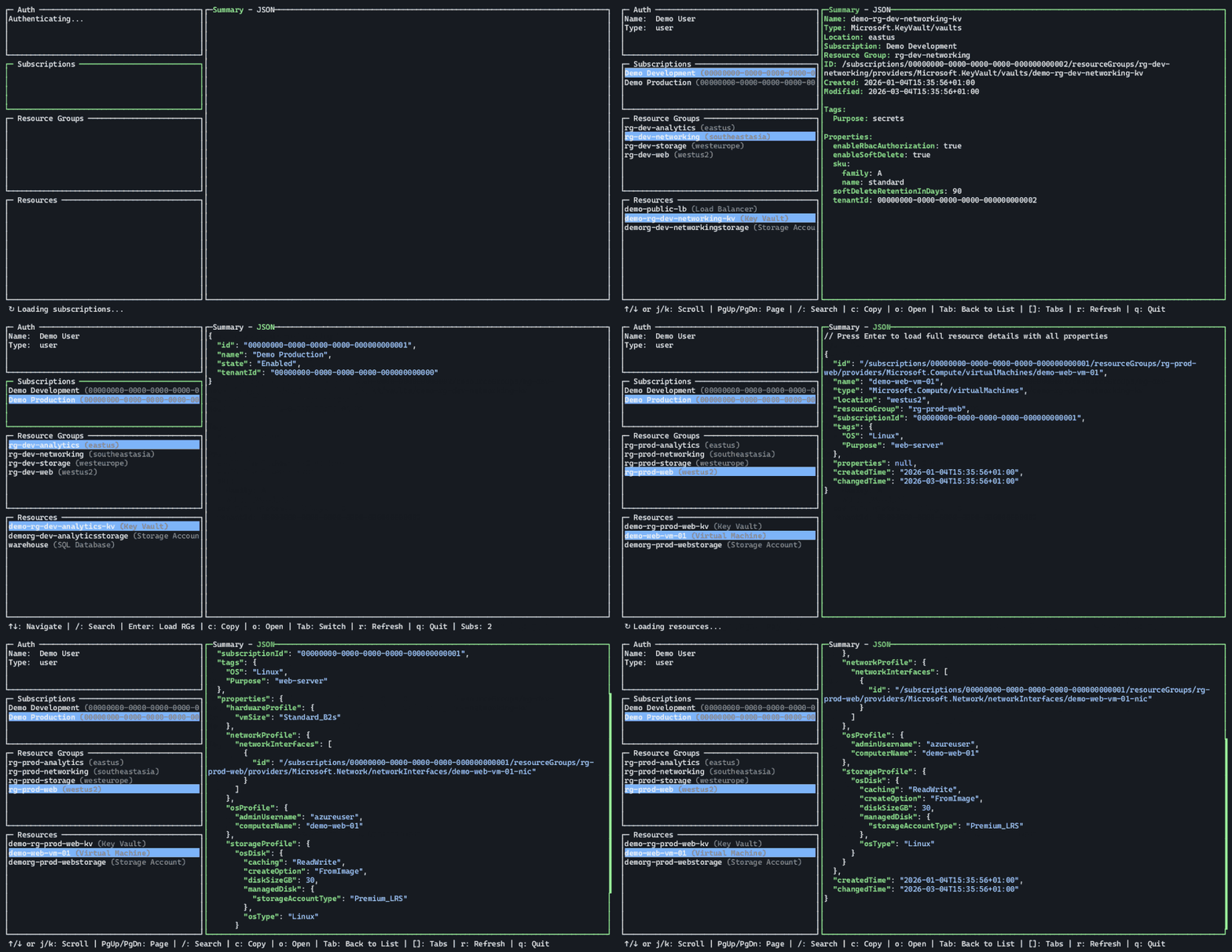
LazyAzure is my attempt to make that loop shorter. It is a terminal UI inspired by lazydocker that browses Azure resources in the same hierarchy as the portal: subscriptions, resource groups and resources.
What it does Link to heading
- Navigate subscriptions, resource groups and resources with keyboard (or mouse!)
- Inspect a resource as a formatted summary or raw JSON
- Expand details to fetch all properties
- Search and filter within each panel
- Open the selected scope in the Azure Portal, or copy the link
How it works Link to heading
LazyAzure is written in Go on top of gocui, the TUI library also used by lazydocker. Azure access goes through the Azure SDK for Go, and authentication uses DefaultAzureCredential. In practice that means it picks up an existing az login session, Azure PowerShell, a managed identity or environment credentials and requires no separate login flow or stored secrets.
Resource details are loaded with provider-specific API versions, so the JSON view shows the same shape as the Azure REST API. Resource groups and resources are also preloaded in the background and held in a multi-tier cache, which means returning to a previously visited scope is instant instead of another round trip to Azure. There is no telemetry, and nothing is written to disk apart from an optional local debug log.
Built with AI Link to heading
This is one of the first projects where I leaned heavily on AI from the start – with OpenCode and mostly open-weight models – working from carefully written initial specifications. The repository keeps an AGENTS.md with build, test and review conventions, which made it easier to keep the scope tight and the generated code reviewable.
Although Go is a language I know fairly well, it quickly became clear that AI agents let me expand the feature set into areas I wasn’t familiar with. To be fair, this project probably wouldn’t have been finished if I hadn’t used agents!
Try it out Link to heading
Prebuilt binaries for Linux, macOS and Windows are available on the releases page, and the release notes include installation instructions.
If you just want to try the interface, LAZYAZURE_DEMO=1 lazyazure runs it against mock data; LAZYAZURE_DEMO=2 uses a larger dataset.
Feedback, bug reports and feature requests are welcome as GitHub issues.
The project was originally announced on LinkedIn. This post was created as an expanded version of that post in November 2026.
You can also find this project listed on Scott Hanselman’s awesome Tiny Tool Town.